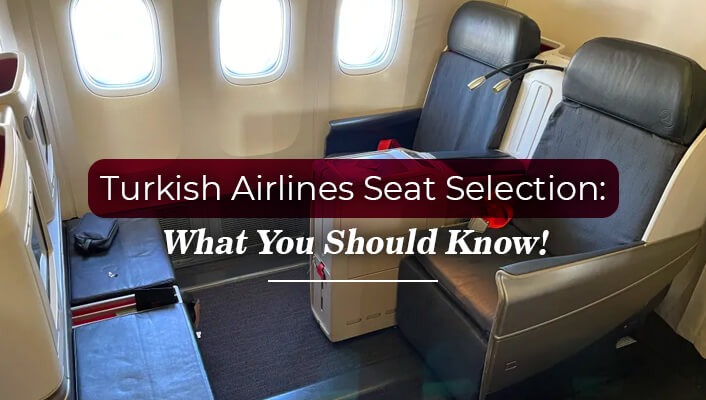
Turkish Airlines allows its passengers to select their seats. At the time of booking your flight tickets with Turkish Airlines, you can select seats, or even after you have purchased. However, seat selection on Turkish Airlines is not free for every traveler. Depending on the fare rules, you may be required to pay the seat selection fee.
You can choose or purchase your preferred seat during or after flight booking, but make sure you don’t wait until the check-in windows open. Otherwise, ready to settle for whatever seats remain available, which may not fit your preference. So to avoid this kind of situation and select your preferred seat on Turkish Airlines, continue reading this blog.
Do I Need to Pay for Turkish Airlines Seat Selection Fees?
Whether you need to pay for Turkish Airlines seat selection fees depends on the factors mentioned below:
Travel Class: If you are purchasing an economy-class ticket on Turkish Airlines, you will need to pay a small fee.
Fare Type: You are entitled to choose any seat for free, provided your booking includes the PrimeFly and Business Flexible fares.
- For medium‑tier fares like ExtraFly, standard seats are free, but fees apply if you prefer premium options such as extra‑legroom or front‑row seats.
- On the other hand, you must pay the Turkish Airlines seat selection fee regardless of the seat category you choose.
Seat Categories: Standard seats, preferred seats (front rows, aisle/window priority), and extra-legroom seats are the seat categories you can choose from, either free or for a fee, depending on your preference and fare rules.
Route: You can generally choose a seat for free on a domestic route. However, on international long-haul routes, you need to pay a fee for seat selection.
Timing of Seat Selection: Securing seats early at the time of booking often includes free standard seat selection, whereas postponing until check‑in may reduce choices and increase fees, especially for premium seats.
How much does Turkish Air Charge for Seat Selection?
The Turkish seat selection fee depends on seat and fare type. You can easily understand the Turkish Air seat selection charge using this chart.
| Seat Type | Approximate Fee Range (USD) |
| Standard Seat | $9 to $39 |
| Preferred Seat | $15 to $59 |
| Extra Legroom Seat | $19 to $129 |
| Emergency Exit Row Seat | $19 to $129 |
How Can You Select Seats on Turkish Airlines During Flight Reservations?
As per Turkish Airlines seat selection policy, you can choose your favorite seat using any of the following options:
Mobile App
- Firstly, download the app on your mobile.
- Log in or sign in to your Miles&Smiles account or continue as a guest.
- Add details to the tabs: departure, destination, dates, passengers
- Choose the flight from the search results based on your search criteria.
- Now hit the seat selection button to access the seat map.
- Finally, you can choose your favorite seat.
Official Site
- Go to the official webpage of Turkish Airlines.
- Navigate to the Book & Manage Option.
- From the drop-down menu, select “Book a flight.”
- Provide the details as requested through the portal.
- Once you've provided all your travel information, click “Search Flight.”
- Choose one that better fits your requirements.
- Add your personal information carefully.
- After that, tap on “Seat Selection.”
- This way, you can secure better seating.
How to Select Seats After Booking Your Tickets With Turkish Airlines?
If you have already booked your flight and still want to choose your favorite seat, simply update your booking details on the Turkish Airlines website under the Manage Booking portal. You need to take these simple steps to update your reservation and select seats after booking:
- Once you visit the official Turkish Airlines site and access the Manage Booking page, ensure you enter the booking reference (PNR) and last name correctly.
- With this, your reservation will be retrieved.
- Look for the seat selection tab or link.
- Now, the seat map will appear on your screen.
- Make sure you carefully review the seat specifications before finalizing any.
- Click on the seat you want to secure.
- The system will automatically show whether you are required to pay any fee.
- If required, complete the payment procedure to confirm your seat.
- As soon as you complete seat selection and payment, you will receive a confirmation message.
- Make sure you download the updated itinerary. Or else, you can even email it to yourself.
The easiest ways to connect with the Turkish Airlines are to simply dial +1 (800) 874-8875 or +1-800-986-4713 (OTA).
How Can I Make Turkish Airlines Seat Selection Without Paying Extra Money?
You can avoid paying extra for Turkish Airlines seat selection by booking higher‑tier fares like PrimeFly or Business Flexible, which include complimentary seat choice.
- Economy passengers with ExtraFly fares can select standard seats for free, though premium options cost extra.
- Choosing seats early during booking or via the Manage Booking portal increases your chances of securing preferred seats without fees.
- Always check your fare class and route, as charges vary depending on timing, seat category, and flight type.
Conclusion
For every passenger, seat selection on Turkish Airlines is available but not free for all. The charge criteria for seat selection vary by fare class, seat category, route, and timing of selection. You can select your seat until the check-in window opens. Postponing the process may reduce your chances of securing your preferred seat via the Manage Booking portal. So, always choose or purchase the seat at the time of flight reservation.